Which Home Internet Providers Serve Panama City?

If you are asking which home internet providers serve Panama City, the short answer is that two companies account for most residential fixed broadband: Tigo and +Móvil (Cable & Wireless Panamá). Satellite and mobile options exist alongside them. The more useful answer is that the choice depends on the specific address. Two towers on the same street can be wired differently, so the providers and technologies available to you depend on your exact building and unit. Checking availability at the actual property tells you far more than any citywide coverage claim.
Which Companies Offer Home Internet in Panama City?
Panama’s residential broadband market is concentrated. Recent industry reporting describes it as effectively a duopoly. Many companies hold telecommunications concessions, which you can see by searching the ASEP concessionaire registry. A concession, however, only shows that a company is licensed. It does not show that the company sells home internet to ordinary households in your part of the city.
Tigo
Who it is: Tigo Panamá belongs to the Millicom group. It entered the Panamanian market by acquiring Cable Onda, the country’s long-established cable company, and later bought Movistar’s Panamanian operations. If a building was once described as having “Cable Onda,” that infrastructure now belongs to Tigo.
What it offers: Residential fixed internet on a network that includes both cable and fiber. Tigo’s own plan terms state that its 1,000 Mbps tier is available only in fiber coverage areas. In practice, the technology at a given address depends on which part of the network serves the building.
Standalone or bundled: Both. Tigo sells internet-only plans, internet plus TV packages, and “Full Tigo” bundles that add a postpaid mobile line.
Where to check: Tigo’s residential internet plans page, its coverage map, and its sales channels (WhatsApp 6615-3000 or the call center at 390-7555, as listed on its website).
Limitation to note: The upload speed on standard plans is much lower than the download speed. Tigo’s published October 2026 terms specify up to 15 Mbps upload on its 300, 500, and 750 Mbps plans. This matters if you upload large files or spend much of the day on video calls. Ask what upload speed would apply at your address.
+Móvil (Cable & Wireless Panamá)
Who it is: +Móvil (also written Más Móvil or MásMóvil) is the consumer brand of Cable & Wireless Panamá. The ownership is mixed: the Panamanian state holds 49%, Liberty Latin America holds 49%, and an employee trust holds the rest. In 2022 the company absorbed Claro Panamá’s operations, so “Claro” is no longer a separate home internet option in Panama. Do not confuse it with MásMóvil in Spain, which is an unrelated company.
What it offers: Residential fixed internet. Cable & Wireless historically offered DSL over copper telephone lines. It then built a hybrid fiber-coaxial network and more recently has been replacing copper with fiber, advertising speeds of up to 1,000 Mbps. Several sources describe its fiber plans as symmetrical, meaning upload matches download. Confirm this for the specific plan you are quoted.
Standalone or bundled: Both internet-only and bundled plans (with TV, a home phone, or mobile service) are marketed.
Where to check: The official website, masmovilpanama.com, and the company’s sales and customer service channels. We could not confirm a public, address-level coverage checker for residential service, so expect to confirm availability directly with a sales representative.
Limitation to note: Because the company has run several network generations (copper, hybrid cable, and fiber), ask which one would actually serve your unit. Do not assume it is fiber.
Providers that are not (yet) Panama City options
Telca, a fiber-only operator owned by Costa Rica’s Telecable, launched in Panama in 2025 in Chiriquí and Veraguas. In 2026 it expanded to Arraiján in Panamá Oeste. We found no evidence that it currently serves homes inside Panama City itself. If you are considering a home across the Bridge of the Americas, it may be worth asking about.
Other companies hold concessions mainly for enterprise connectivity, wholesale capacity, or mobile service. They should not be treated as alternatives for an apartment unless they confirm residential availability at your address in writing.
Alternatives to a fixed connection
Starlink satellite internet has been licensed and available in Panama since May 2023. Mobile broadband from Tigo’s or +Móvil’s cellular networks is a second alternative. Both are covered below. In a city apartment they are usually a backup or a stopgap rather than a replacement for a wired connection.
What Types of Home Internet Are Available?
Fiber-optic internet
Fiber carries data as pulses of light through glass strands. It can support very high speeds and, depending on the provider’s plan design, equal or near-equal upload and download speeds. It is also less affected by distance and electrical interference than older copper technology.
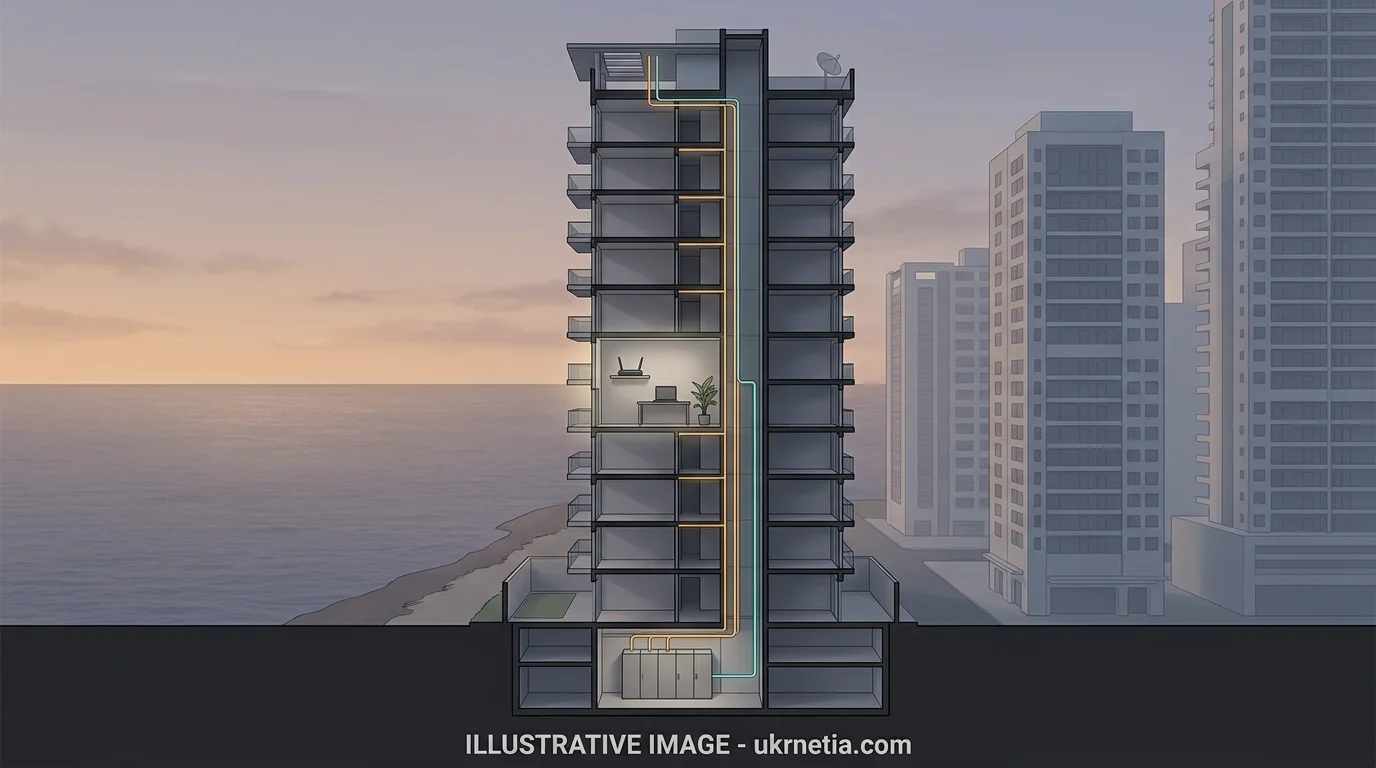
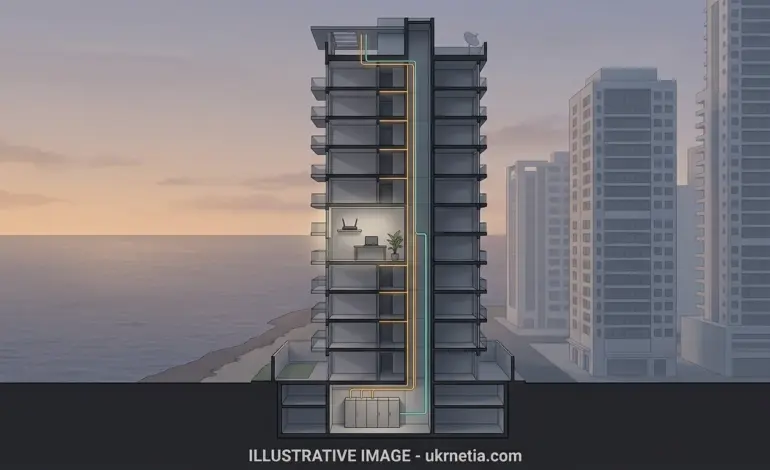
The catch is that “fiber in the neighborhood” is not the same as “fiber in your apartment.” A provider may have fiber running down the street, or even into the building’s basement, while the individual units are still connected by older cabling. Ask specifically whether the fiber runs all the way to your unit. The industry term for this is FTTH, “fiber to the home.”
Cable broadband
Cable internet uses the coaxial cabling originally built for cable TV. In Panama, the main cable network is the one Tigo inherited from Cable Onda. Modern cable networks often use fiber for most of the distance and coaxial cable only for the last stretch, an arrangement called hybrid fiber-coaxial, or HFC.
Cable can deliver high download speeds, but upload capacity is typically much lower, and performance can dip at busy times because nearby users share capacity. Judge a cable plan on its stated upload speed and on how it performs in the evening, not only on its headline download figure.
Fixed wireless and mobile broadband
A fixed home connection arrives through a physical line installed at your address. Mobile broadband arrives over the cellular network, through a phone hotspot, a portable “MiFi” device, or a 4G/5G home router.
Mobile broadband needs no installation and goes wherever you go, which makes it useful for the first weeks after a move or as a backup. Its limitations are real, though. Plans may have data caps or fair-use policies. Speeds depend on signal strength, which can vary from floor to floor in a high-rise, and on how many people are using the same cell tower. Read the data allowance carefully: a mobile data package is not the same thing as unlimited residential broadband.
Satellite internet
Starlink uses a constellation of low-orbit satellites and a dish you install yourself. When it launched in Panama, it was presented mainly as a way to reach rural and hard-to-serve areas. That remains its strongest use case.
In a Panama City apartment, the practical obstacles are significant. The dish needs a clear view of the sky, which a balcony hemmed in by neighboring towers may not provide. Your building may restrict exterior equipment. You also pay upfront for hardware. Satellite latency (the delay before data starts moving) has improved greatly with low-orbit systems, but it is still a different category of service from urban fiber or cable. For most city apartments with a working wired option, satellite is not necessary. Check current pricing and availability directly at starlink.com, since plans and hardware prices change.
Does Every Neighborhood in Panama City Have the Same Options?
No, and the differences are often between buildings rather than between neighborhoods. A new tower in Costa del Este and a 1980s building in Bella Vista may sit in areas where both major providers operate, yet only one may be able to serve a given unit. The same can happen between two buildings on the same block in El Cangrejo, San Francisco, or Punta Pacífica.
Several factors determine this:
- Existing wiring. Some buildings were cabled by one provider during construction. Others have several providers’ cabling in shared risers.
- Fiber to the building. Fiber reaching the street does not mean it has been brought into the building or up to each floor.
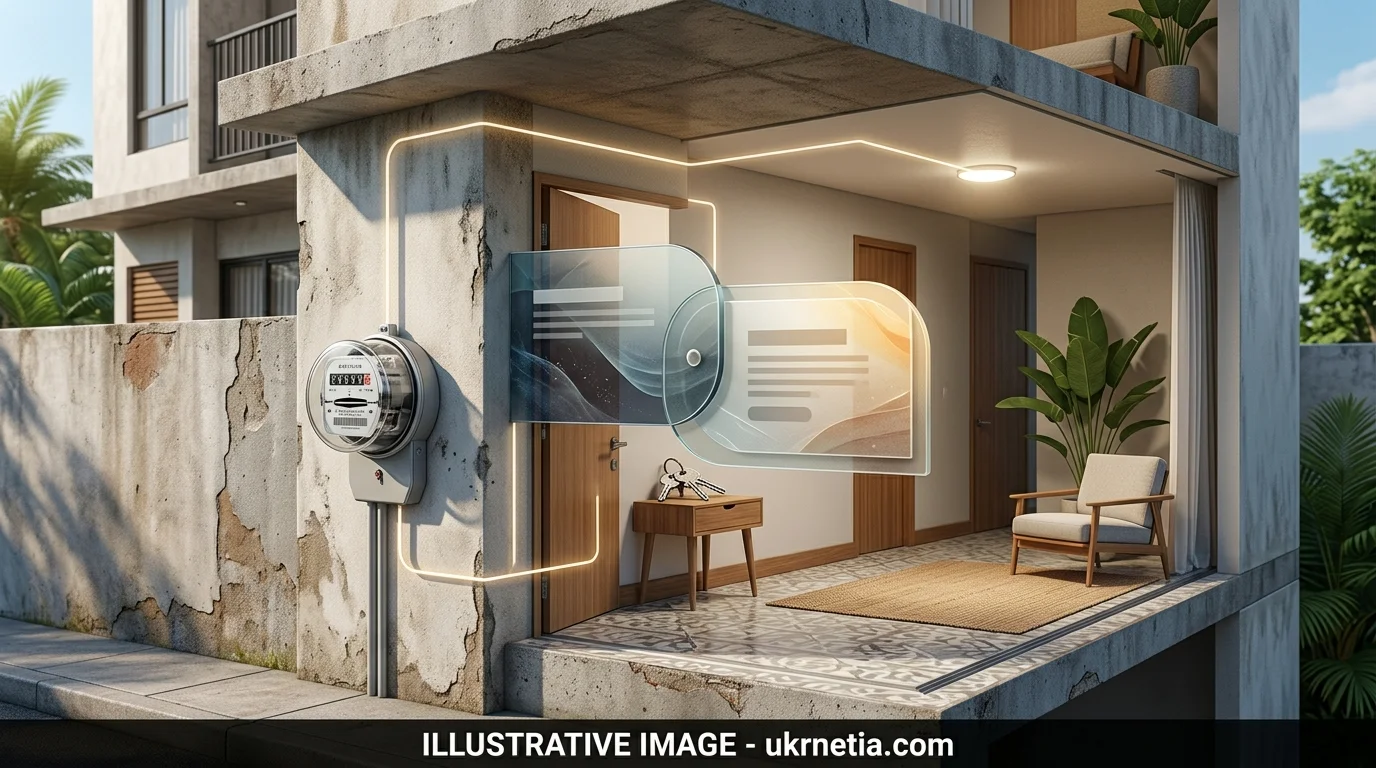
- Building management rules. Installing a new provider may require access to the equipment room and vertical risers, which the building administration controls. Some buildings require approval, scheduled visits, or contractor paperwork.
- Unit-level feasibility. Even if a provider serves the building, a particular apartment may lack a free cable path, or the existing conduit may be full.
- Installation requirements. A technician may need to run new cable, which can involve drilling or work that the building or the landlord must authorize.
Treat any claim that “Provider X covers this neighborhood” as a starting point only. The answer that matters is the one given for your exact address and unit.
How to Check Which Providers Serve Your Apartment
- Get the full address. You need the building name (in Panama City buildings are often identified by name), street, neighborhood (corregimiento), floor, and apartment number.
- Check official channels. Start with Tigo’s internet plans page and coverage map, and with +Móvil’s website.
- Contact each provider directly. Give the complete address and ask for confirmation that residential service is available at that specific unit, not just in the area.
- Ask which technology would be installed: fiber to the unit, cable, or something else.
- Ask whether installation is feasible in that unit, and whether the building already has the provider’s infrastructure or would need new work.
- Get the full terms: download and upload speeds, regular monthly price, taxes, installation and equipment charges, contract length, and cancellation conditions. Ask for them in writing where possible.
- If renting, ask the landlord or building manager whether internet is already installed, which provider or providers the building uses, and whether there are restrictions on bringing in a new one.
Keep in mind that an online result or an initial sales confirmation may still need to be verified by a technician on site. Until installation is scheduled or completed, treat availability as likely rather than certain.
How Much Does Home Internet Cost in Panama City?
Prices change often and are heavily shaped by promotions, so it helps to understand what you are comparing. A quote should account for:
- The standard monthly price, not just the introductory one
- Taxes and any other recurring charges
- Installation or activation fees
- Router or modem rental, or any purchase cost
- Optional Wi-Fi extenders or mesh systems
- Bundled TV, phone, or mobile services you may not need
- When any discount ends and what the price becomes afterward
- Contract length and early-cancellation penalties
An example of how promotions work (checked October 18, 2026). Tigo’s plans page listed an internet-only plan of up to 500 Mbps download and 15 Mbps upload at B/.33 per month, against a stated regular price of B/.40. A 750 Mbps internet-only plan was listed at B/.40, against a regular price of B/.54. The terms stated that these were promotional prices valid from October 1 to 31, 2026, for new contracts placed through digital channels only, and that prices did not include taxes. Some bundles also carried time-limited streaming subscriptions that become chargeable when the included period ends. (The balboa, B/., is at par with the U.S. dollar.)
We were unable to verify +Móvil’s current residential price list directly from an official source on the same date. For that reason this article does not include a side-by-side price comparison. Request a written quote from each provider for the same speed tier and compare the standard post-promotion price, including taxes and equipment.
A low first-month or first-quarter price can look very different once you add up a full year. Multiply the regular rate by twelve, add one-time fees, and compare those totals.
What Internet Speed Do You Need at Home?
Advertised speeds are given in megabits per second (Mbps). Download speeds in your browser are often shown in megabytes per second (MB/s). One megabyte equals eight megabits, so a 400 Mbps connection tops out at roughly 50 MB/s in practice.
The ranges below are rough planning guidance, not technical requirements:
- Basic browsing, email, occasional video calls: almost any current fixed plan is enough. Most entry-level fixed plans are far above what this needs.
- Regular video meetings and remote work: pay attention to upload speed. A stable upload of at least 10–20 Mbps is comfortable for one person on HD calls, and more is needed if others in the household are also calling.
- Streaming on several devices: a few HD or 4K streams at once fits comfortably within mid-tier fixed plans. Wi-Fi quality in each room often matters more than the plan tier.
- Gaming and busy households: low latency and consistency matter more than raw download speed. A wired Ethernet connection for a console or PC helps.
- Large uploads, cloud backups, content creation: upload speed is the deciding factor. A plan with low upload can make a nominally fast connection feel slow for this work.
Several other factors affect real performance as much as the advertised download speed: the number of simultaneous users, the upload allowance, latency, network congestion at peak hours, and the quality and placement of the router. Advertised speeds are maximums measured at the router. Wi-Fi in a bedroom behind two concrete walls will deliver less.
What Should Remote Workers and Expats Check Before Signing Up?
- Upload speed and stability. Ask for the plan’s upload speed in writing, and test it during your working hours after installation.
- VPN and cloud tools. Most residential connections handle work VPNs without issue. If your employer’s tools are sensitive to latency, or require a fixed IP address, ask the provider whether that is available on residential plans.
- Wi-Fi coverage. Panama City apartments often have concrete walls that weaken Wi-Fi. Ask whether mesh equipment is available and what it costs, or plan to buy your own.
- Ethernet. Check whether the router can sit near your desk, or whether you will need a long cable or a mesh node with an Ethernet port.
- Installation timing. Ask how soon a technician can come, and whether building rules restrict installation days or hours.
- Authorization. Confirm whether the landlord or building administration must approve the installation.
- Contract terms if you might move. Ask about minimum terms, early-cancellation charges, and whether service can be transferred to a new address.
- Outages and support. Ask how to report faults, what support hours are, and how repairs are scheduled. Power cuts also interrupt home internet, so a small uninterruptible power supply (UPS) for the router can be worthwhile.
- Backup connection. If your work cannot tolerate interruptions, a mobile data plan with a hotspot allowance, ideally on the other company’s network, adds a second path.
No provider can guarantee uninterrupted service. Plan for occasional outages rather than assuming they will not happen.
Is Internet Included in Apartment Rent in Panama City?
It depends entirely on the lease and the property. You may encounter any of these arrangements:
- Included in rent: the landlord pays, and the service comes with the apartment.
- Separate tenant account: you sign up and pay the provider directly.
- An existing connection you can take over: the line is already installed, and the account may be transferable.
- A landlord-managed shared service: common in furnished rentals and some serviced buildings, where several units share one connection.
Before signing, confirm the actual speed and technology, who pays the bill, whose name the account is in, who you call when it fails, and whether you are allowed to install a different provider if the included service is not good enough.
Questions to Ask Before Choosing a Provider
- Is residential service confirmed for my exact building and apartment number?
- Will the connection be fiber to my unit, cable, or another technology?
- What are the advertised download and upload speeds?
- What is the regular monthly price after the promotion ends, and when does it end?
- Are taxes, the router, and any other equipment included in the quoted price?
- Is there an installation or activation fee?
- Is there a minimum contract term?
- What does it cost to cancel early, or to move the service to another address?
- Can existing wiring or equipment in the apartment be reused?
- What is the procedure if speeds are consistently below what was advertised?
Frequently Asked Questions
Which companies provide home internet in Panama City?
The two main residential fixed-broadband providers are Tigo (which now owns the former Cable Onda network) and +Móvil, the brand of Cable & Wireless Panamá. Starlink satellite internet and mobile broadband from the two cellular networks are also available, but they work differently from a fixed home connection.
Is fiber-optic internet available in Panama City?
Yes. Both major providers have deployed fiber in Panama City. However, availability is decided unit by unit: some buildings have fiber to each apartment, others are served by cable or older lines. Ask the provider which technology will actually be installed at your address.
Can I check internet availability before renting an apartment?
Yes, and it is worth doing before you sign. Give each provider the full address, including the building name and unit number, and ask the building administration which providers already serve it. A provider’s confirmation is more reliable than a general coverage map.
Is home internet available in high-rise apartment buildings?
Generally yes, since most residential towers are wired for at least one provider. Which provider and technology you can get depends on the building’s existing infrastructure and the administration’s rules for installation.
Can a foreigner sign up for home internet in Panama?
Foreign residents do sign up for home internet. Identification and documentation requirements, and whether residency or a deposit affects eligibility, are set by each provider. Ask the provider directly what it requires before you visit a store or book an installation.
Is mobile internet a practical alternative to a fixed connection?
As a temporary solution or a backup, often yes. As a full replacement for a household with heavy use, it is usually less practical because of data limits, fair-use policies, and signal variability inside buildings. Compare the data allowance against your actual monthly usage before relying on it.